
The software that runs on event night
BoothDock Studio drives the camera, builds the layout, prints and uploads — and keeps doing so when the Wi-Fi drops out. It is available for Windows and, on the App Store, for iPad and Mac. What runs where is laid out openly in a table further down.
Runs when nothing else does.
Studio is the local app on the event PC: capture, layout, print preparation. No forced cloud dependency in the middle of the party — a local watchdog keeps checking the capture flow and pulls the camera back after a hiccup on its own.
Camera connection with self-healing
Runs instantly with any webcam. If the camera drops mid-evening (a loose USB cable, a driver hiccup), the service detects it and reconnects automatically — no one needs to touch the app.
Background removal without compromise
Classic green screen for crisp edges, or AI-based cutout with no physical screen at all — live in the preview and perfect in the final photo. Guests pick their own background, color or image.
Four modes, one hardened flow
Photo strip, GIF, Boomerang or video — all four run through the same countdown, the same preview, the same print handling. No extra tool for the one mode a customer wants.
360° videos with real slow motion
For 360° platforms and slow-motion corners: the booth films for a set time and turns it into a short clip with speed changes, music, a logo overlay and an intro, in portrait for stories and reels. Started by foot switch, phone or screen, and on iPad and iPhone also by the movement of the rotating arm. On Windows and, since version 1.4.0, on iPad and iPhone; the Sony A7 IV films at 100 frames per second for it on its own.
Your own colour looks for photos and 360°
Import your .cube files once and apply them as a look to photos and 360° clips — for guests to choose or baked in. On Windows it renders on all processor cores, no graphics card needed; since version 1.4.0 also on iPad and iPhone.
Layout designer at Hub level
Rotate layers freely, place shapes, 12 sticker motifs as a design aid — the same feature set as the Hub editor, no second tool to learn.
QR codes right in the layout
Any text or link, generated fully offline and embedded into the print layout — no internet needed for the code to end up on the printout.
Automatic restart on crash
A watchdog keeps an eye on the guest flow and pulls a stuck session back to the start on its own — no staff member has to babysit it at night.
A real camera instead of a webcam compromise
BoothDock drives Nikon, Canon and Sony straight over the USB cable — shutter, live view, aperture, shutter speed and ISO. All 154 bodies are listed by name, along with what each one cannot do.
Offline license grace period
If the license was valid last time it checked in, the event PC keeps working offline for up to 30 days — no downtime because the hotel Wi-Fi is flaky.
No night gets lost
Every finished session also stays on the booth — with exactly the files the guest gets online. If one never reached the Hub, you send it days later at the press of a button. Nothing is deleted automatically.
Automation for lights, streams and USB sticks
Finished photos, GIFs and videos land in a folder right away — on a USB stick, a network drive or in Dropbox and OneDrive. At every step of a session the booth can call a program or a URL, for lights or DMX, for example. Through the local API, a Stream Deck, your own scripts or a phone start the booth. The local API is available on Windows and, since version 1.4.0, on iPad and iPhone; real-time export and webhooks on Windows only.
Where BoothDock Studio runs
One piece of software, three devices — and for each one, where things stand today.
iPad and iPhone
On the App Store since 30 September 2026, and since version 1.4.0 (5 October 2026) also for iPhone. iPadOS/iOS 17 or later.

Windows
Windows 10 or 11, 64-bit. The installer comes straight from here.
Download installer · 1.5.0Mac
On the App Store since version 1.3.0 (2 October 2026): a native Mac app in the same listing as the iPad. macOS 14 (Sonoma) or later.
Four screens — a guest needs no more
The whole flow at the booth: invite, pick a template, set the look, take the result home. Captured from the running software — in the language you are reading.


Real screenshots from the running program: templates, frames, filters and interface are the software's unaltered output.
Four screens you actually sit in front of
The guest side is one half. The other is the one you sit at before the event: build the template, set up the camera, create the event.


Real screenshots here too. The print profile is freshly created — you enter your own Windows printer.
What runs where?
The same software, the same interface, the same Hub connection — but not every platform can do the same today. Rather than hide it, it is laid out here in a table.
| What | Windows | iPadon the App Store | Macon the App Store |
|---|---|---|---|
| Cameras on a cable | Nikon, Canon, Sony — 154 bodies | Canon and Sony | Canon and Sony, in testing |
| Live view and shutter release | yes | yes | in testing |
| Video over the cable | yes | Canon and Sony | in testing |
| Aperture, shutter speed, ISO and white balance from the booth | yes | yes | in testing |
| Webcam instead of a system camera | yes | yes | yes |
| Green screen with a cloth | yes | yes | yes |
| Background removal without a cloth | yes | yes | yes |
| GIF, boomerang and video | yes | yes | yes |
| 360° with slow motion | yes | yes | in preparation |
| Local API (start by phone, Stream Deck, scripts) | yes | yes | in preparation |
| Webhooks and real-time export | yes | no | no |
| Printing | any Windows printer with print profiles; 2-inch cut where the printer supports it | AirPrint without a dialog; DNP via the WCM adapter | Mac printer list; DNP directly over USB without the maker driver, with paper level |
| Keeps going offline | up to 30 days | up to 30 days | up to 30 days |
| Hub connection and upload | yes | yes | yes |
| Remote maintenance from the Hub | yes | yes | yes |
| Kiosk lock | own lock | Guided Access | full screen, no system lock |
Printing in detail: AirPrint, DNP driver, WCM adapter
As of 5 October 2026. iPad, iPhone and Mac share one App Store listing (iPadOS/iOS 17 or macOS 14 or later); on the Mac a native Mac app runs. Since version 1.4.0 (5 October 2026) the iPad does 360° and the local API, Sony films there over the cable just like Canon (except for a few Sony bodies that do not hand out their videos), and the app also runs on iPhone. System cameras on the Mac use the same code as on the iPad; a test with a real camera is still pending there. 360° and the local API are in preparation for the Mac, and the Mac version of 1.4.0 is in review at Apple; we do not name a date.
Your guest becomes a superhero.
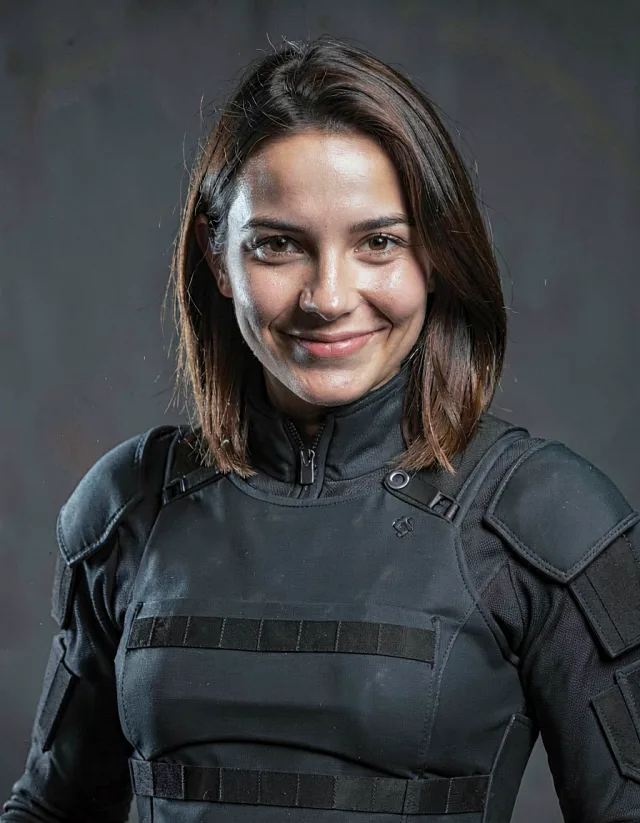
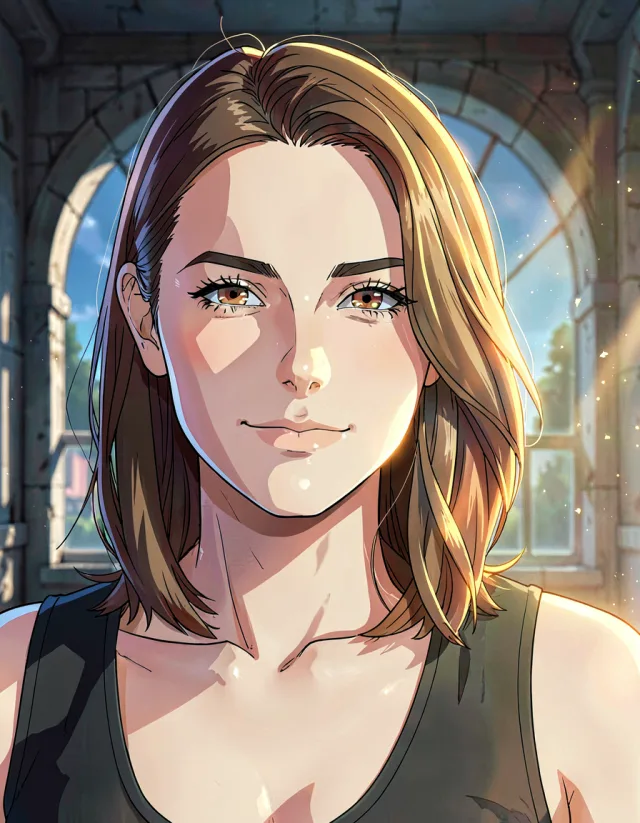
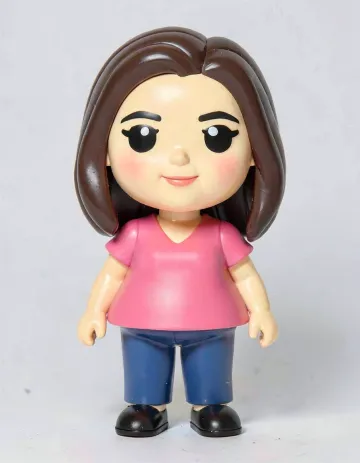
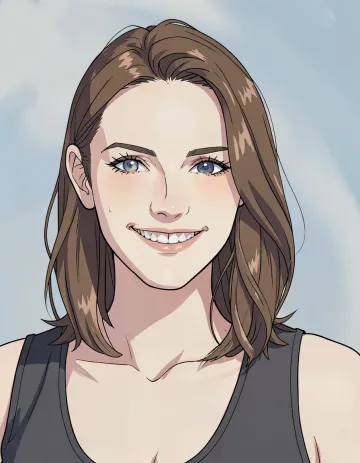
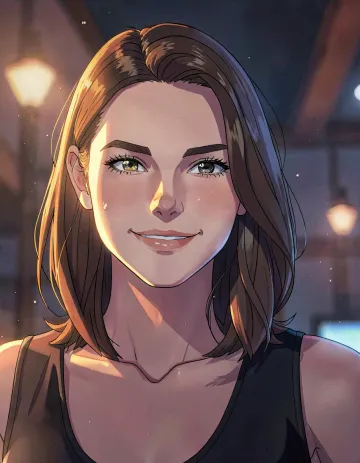
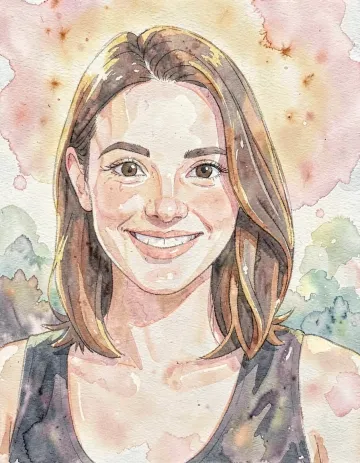
After the shot, the guest picks a style — the photo comes back as a 3D animated character, a superhero, or an anime poster. The original stays untouched, and both versions land in the gallery. Our Hub does the number-crunching, not the event PC — the booth doesn't need a graphics card for this.


Curated, not random
3D animation, superhero, anime, manga, comic, instant photo, and 29 more — every style tested individually so faces stay recognizable. You decide which ones your guests see.
The guest decides, not chance
Not happy with the result? A second try runs on the same credit — even with a different style. On the results screen, the guest can flip between the original and the AI version.
The photo never leaves Europe
The transformation runs with a European provider. The source photo is deleted immediately after processing — nothing is left behind for someone to request later.
Labelled the way it should be
Every AI image carries a machine-readable label in the file, and the gallery tells the guest in their own language. On request, it's also visible in the image itself — with the official EU symbol.
All 35 styles
-
 Studio Color
-
 Business Portrait
-
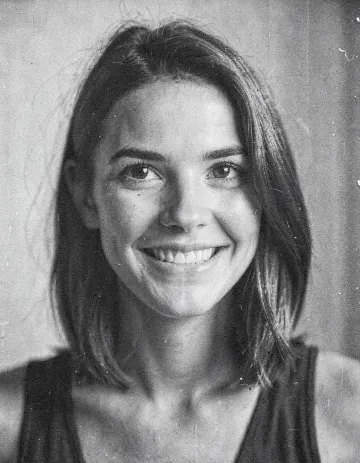 B&W Reportage
-
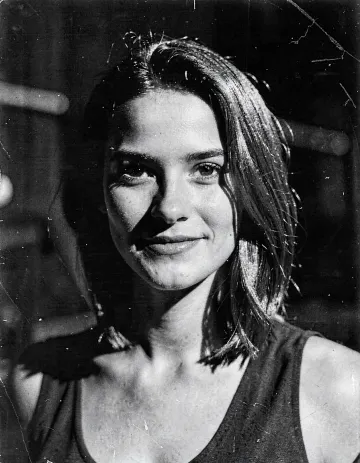 Film Noir
-
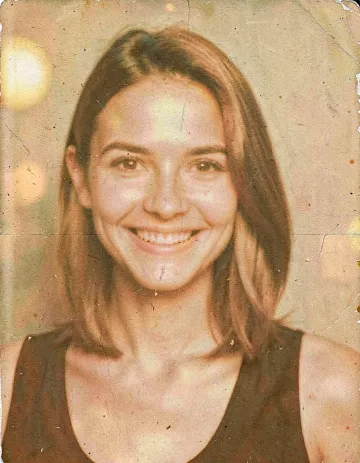 70s Film
-
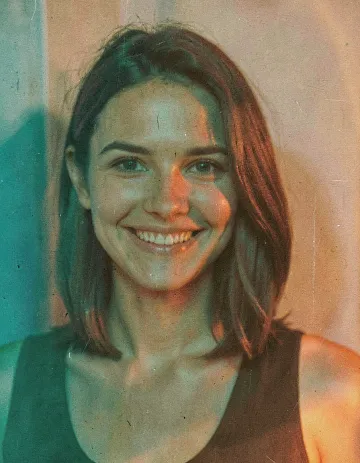 Cinema Look
-
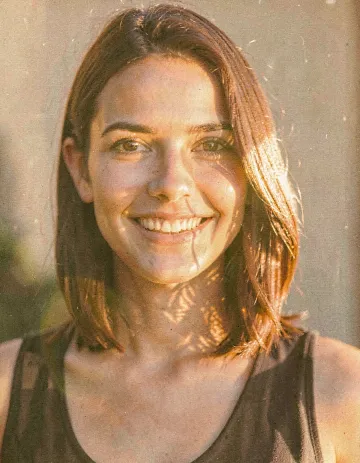 Golden Hour
-
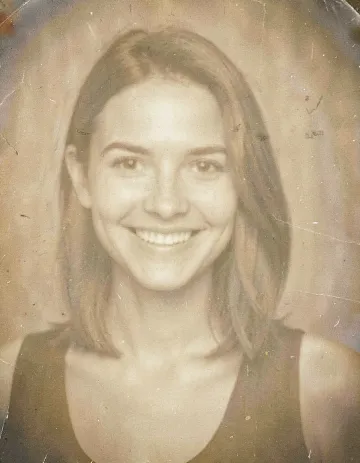 Soft Sepia
-
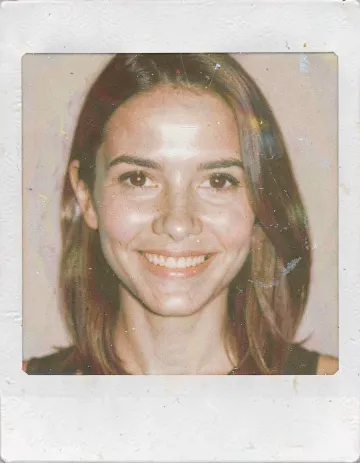 Instant
-
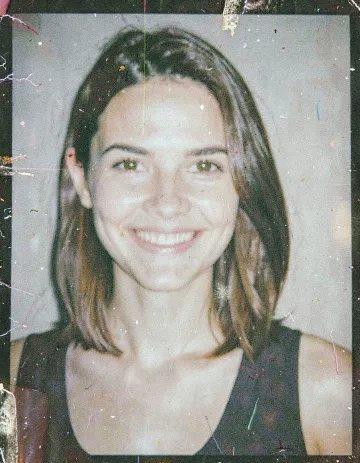 Snapshot
-
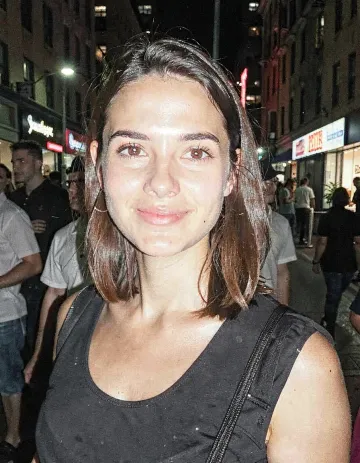 Party Flash
-
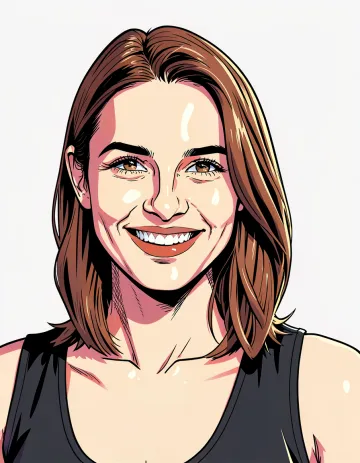 Comic Clear
-
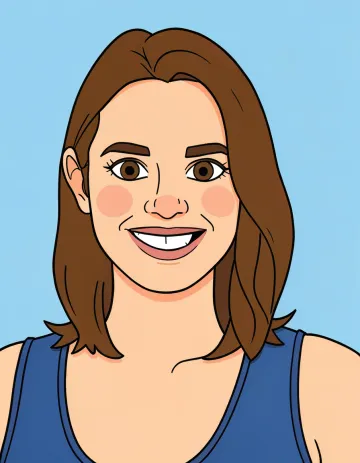 Flat Cartoon
-
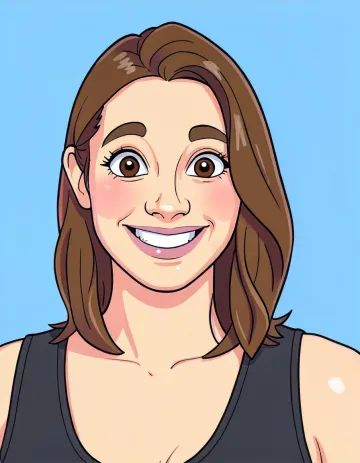 Caricature
-
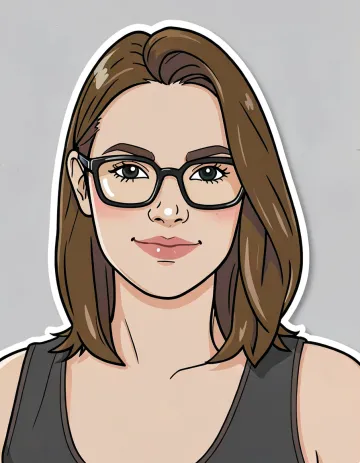 Sticker
-
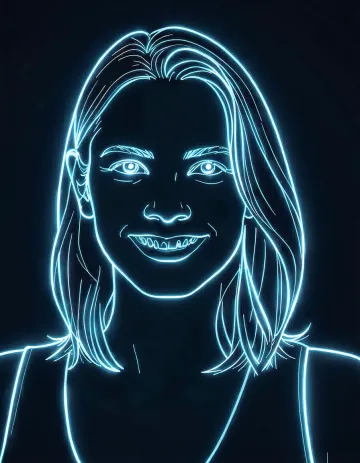 Neon Outline
-
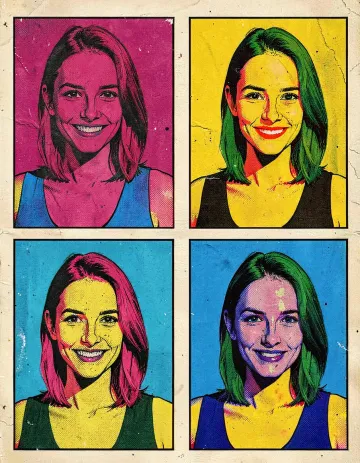 Pop Art
-
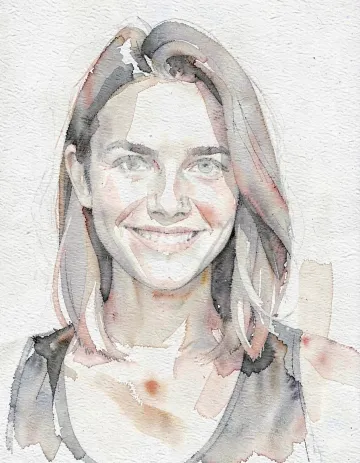 Watercolor
-
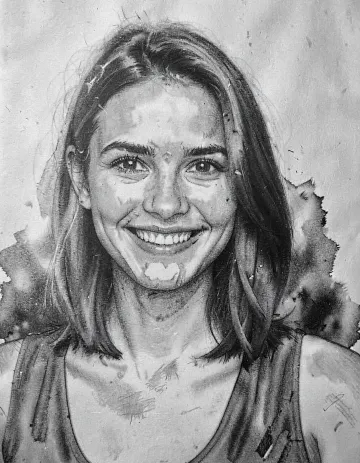 Charcoal
-
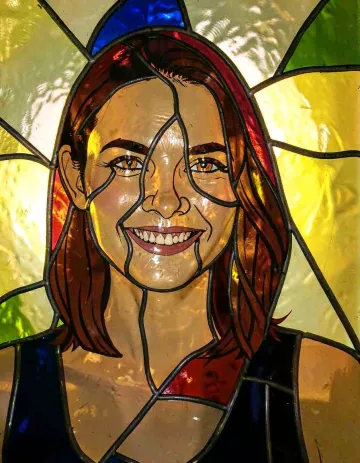 Stained Glass
-
 Collectible
-
 Anime
Anime
-
 Anime Poster
-
 Watercolor Anime
-
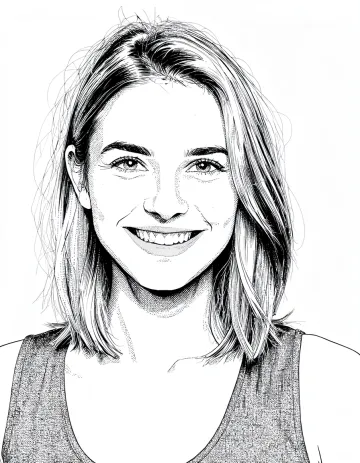 B&W Manga
-
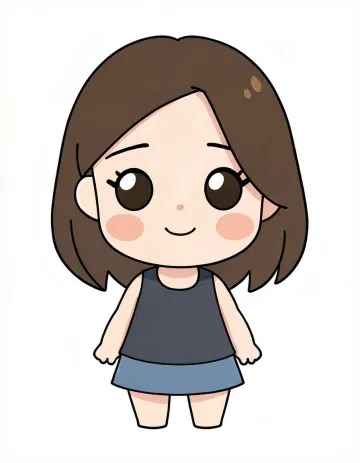 Chibi
Chibi
-
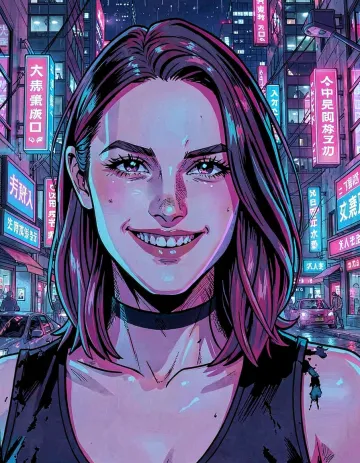 Cyber Anime
-
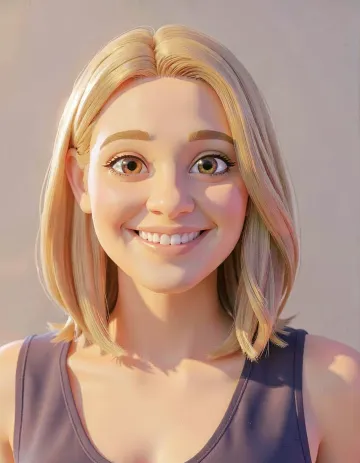 3D Animation
-
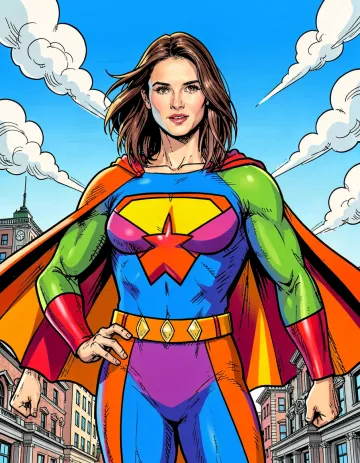 Superhero Comic
-
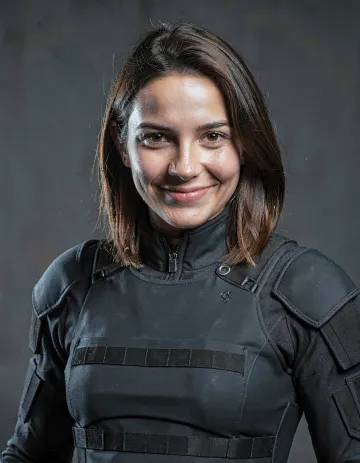 Superhero Realistic
-
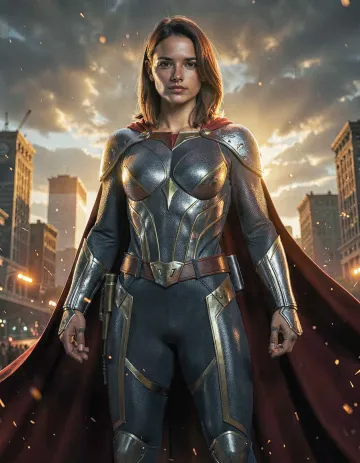 Superhero Epic
-
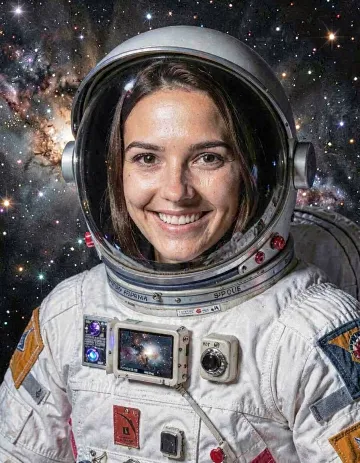 Astronaut
-
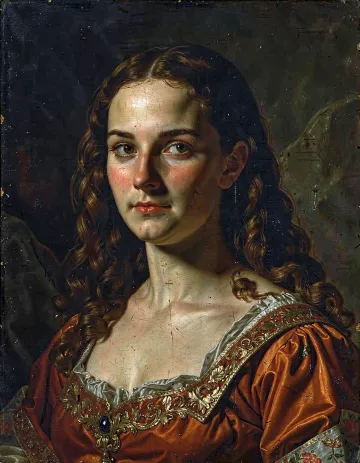 Renaissance
-
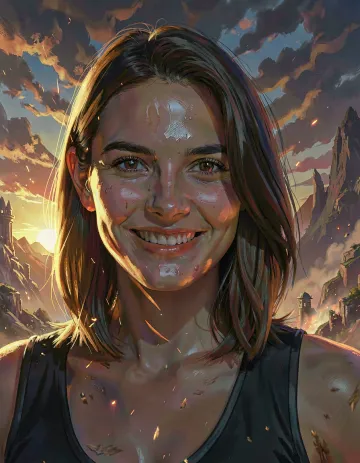 Fantasy Painting
-
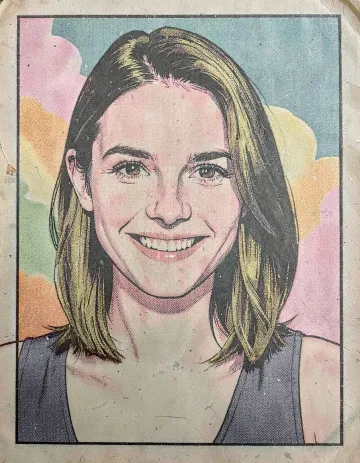 50s Comic
Every style computed on the same portrait — nothing cherry-picked, nothing retouched.
Credits per account, monthly or yearly
One credit covers a transformation plus its retry. Credits apply to the whole account, regardless of which booth.