Photo booth software:
two tools.
Not one compromise.
BoothDock Studio runs hard at the event, offline-proof for up to 30 days. BoothDock Hub takes over afterwards: keep an eye on boxes, release galleries, handle GDPR requests — from anywhere, without anything distracting from the event PC.
Built by a photo booth operator who knows the pain.
I've run photo booths at events myself and I know the moment when software freezes mid-event, the printer jams, or the customer asks where the photos are. BoothDock is the software I wished I had back then: event-hardened, with a real status overview and no nasty surprises.
Event-hardened
Every feature is tested and hardened at real events, so you don't have to worry about the tech on event day.
Live status in the Hub
With an internet connection, you see live in the Hub how the event and the box are doing — no guessing from afar.
EU hosting
Data and support from the EU, for operators worldwide — at prices calculated to stay fair long-term.
Runs when nothing else does.
Studio is the local app on the event PC: capture, layout, print preparation. No forced cloud dependency in the middle of the party — a local watchdog keeps checking the capture flow and pulls the camera back after a hiccup on its own.
Camera connection with self-healing
Runs instantly with any webcam. If the camera drops mid-evening (a loose USB cable, a driver hiccup), the service detects it and reconnects automatically — no one needs to touch the app.
Background removal without compromise
Classic green screen for crisp edges, or AI-based cutout with no physical screen at all — live in the preview and perfect in the final photo. Guests pick their own background, color or image.
Four modes, one hardened flow
Photo strip, GIF, Boomerang or video — all four run through the same countdown, the same preview, the same print handling. No extra tool for the one mode a customer wants.
Layout designer at Hub level
Rotate layers freely, place shapes, 12 sticker motifs as a design aid — the same feature set as the Hub editor, no second tool to learn.
QR codes right in the layout
Any text or link, generated fully offline and embedded into the print layout — no internet needed for the code to end up on the printout.
Automatic restart on crash
A watchdog keeps an eye on the guest flow and pulls a stuck session back to the start on its own — no staff member has to babysit it at night.
A real camera instead of a webcam compromise
Sony ZV-E10 natively via PTP, Canon EOS M50 via EDSDK — both verified on the device, not just claimed on a compatibility list.
Offline license grace period
If the license was valid last time it checked in, the event PC keeps working offline for up to 30 days — no downtime because the hotel Wi-Fi is flaky.
Your guest becomes a superhero.
After the shot, the guest picks a style — the photo comes back as a 3D animated character, a superhero, or an anime poster. The original stays untouched, and both versions land in the gallery. Our Hub does the number-crunching, not the event PC — the booth doesn't need a graphics card for this.



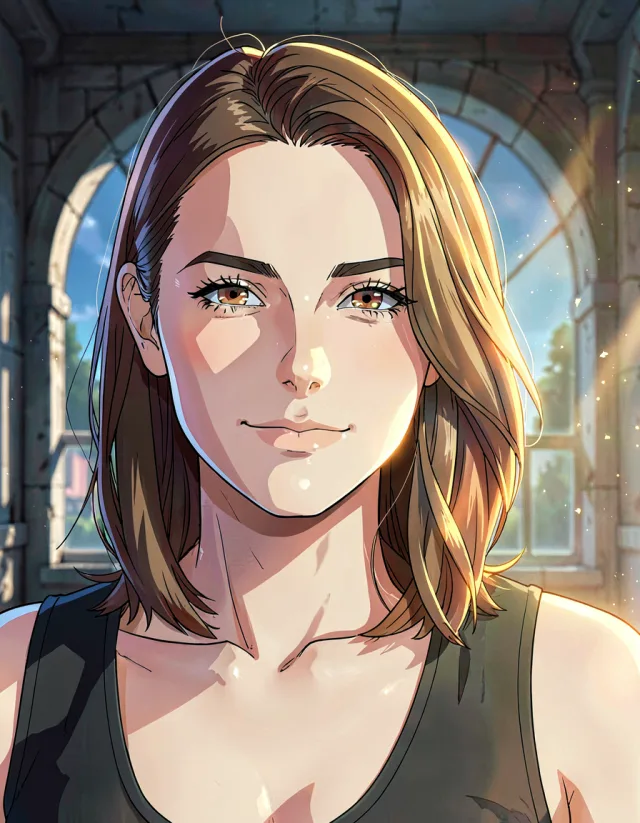
Curated, not random
3D animation, superhero, anime, manga, comic, instant photo, and 29 more — every style tested individually so faces stay recognizable. You decide which ones your guests see.
The guest decides, not chance
Not happy with the result? A second try runs on the same credit — even with a different style. On the results screen, the guest can flip between the original and the AI version.
The photo never leaves Europe
The transformation runs with a European provider. The source photo is deleted immediately after processing — nothing is left behind for someone to request later.
Labelled the way it should be
Every AI image carries a machine-readable label in the file, and the gallery tells the guest in their own language. On request, it's also visible in the image itself — with the official EU symbol.
All 35 styles
-
 Studio Color
-
 Business Portrait
-
 B&W Reportage
-
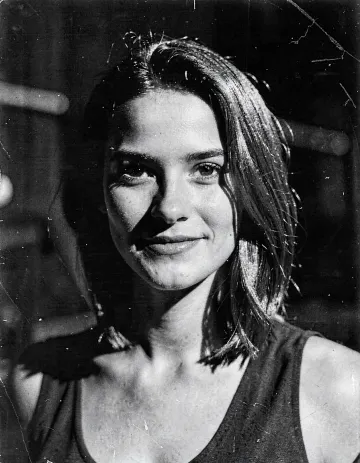 Film Noir
-
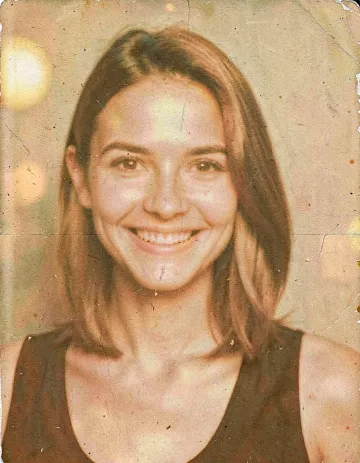 70s Film
-
 Cinema Look
-
 Golden Hour
-
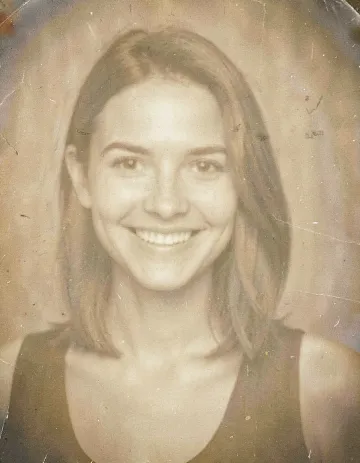 Soft Sepia
-
 Instant
-
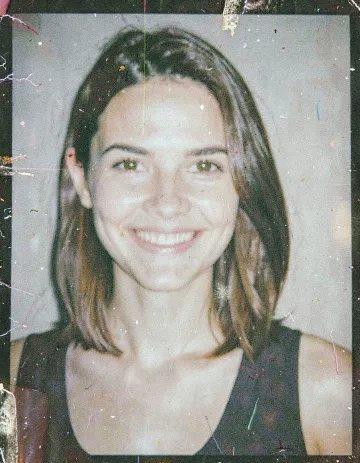 Snapshot
-
 Party Flash
-
 Comic Clear
-
 Flat Cartoon
-
 Caricature
-
 Sticker
-
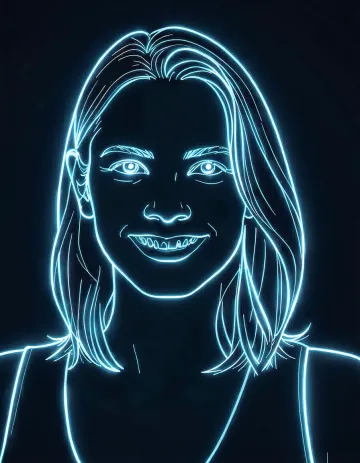 Neon Outline
-
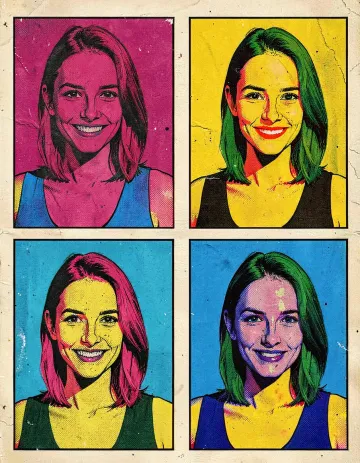 Pop Art
-
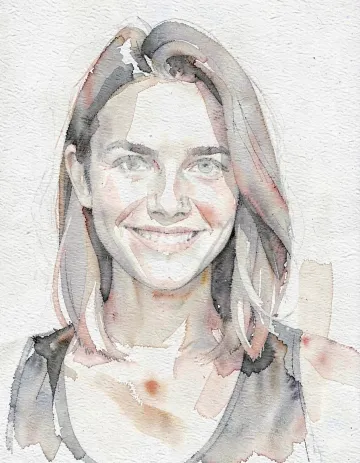 Watercolor
-
 Charcoal
-
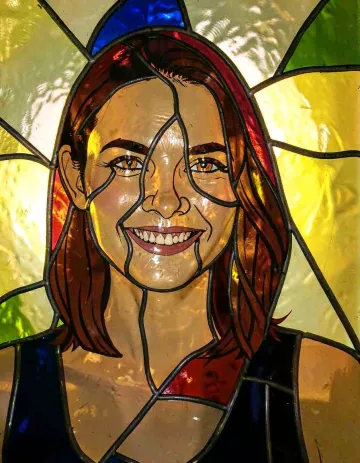 Stained Glass
-
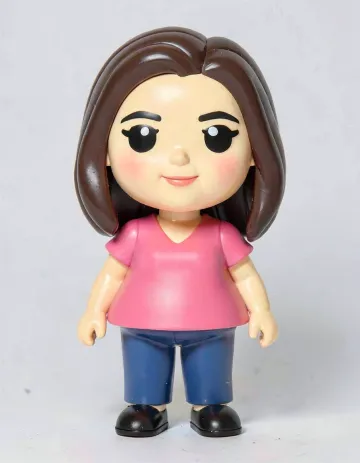 Collectible
-
 Anime
Anime
-
 Anime Poster
-
 Watercolor Anime
-
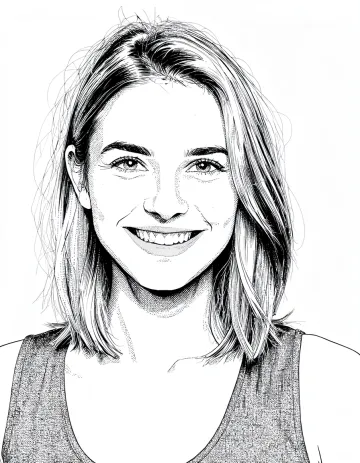 B&W Manga
-
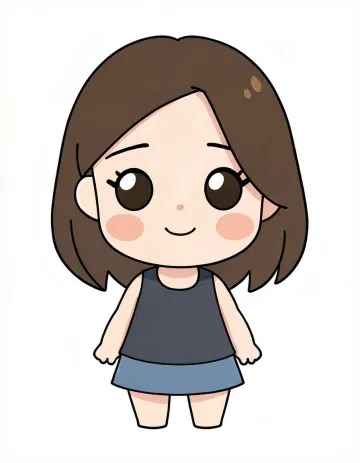 Chibi
Chibi
-
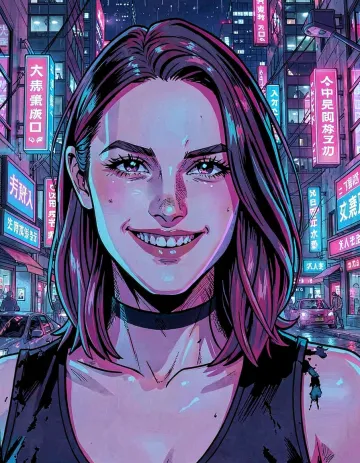 Cyber Anime
-
 3D Animation
-
 Superhero Comic
-
 Superhero Realistic
-
 Superhero Epic
-
 Astronaut
-
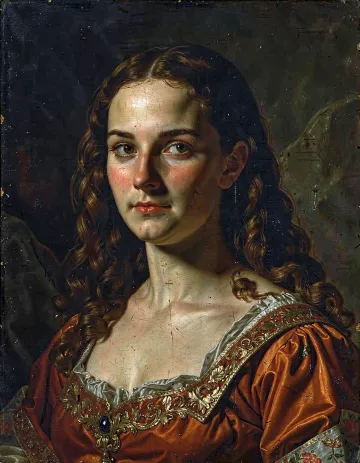 Renaissance
-
 Fantasy Painting
-
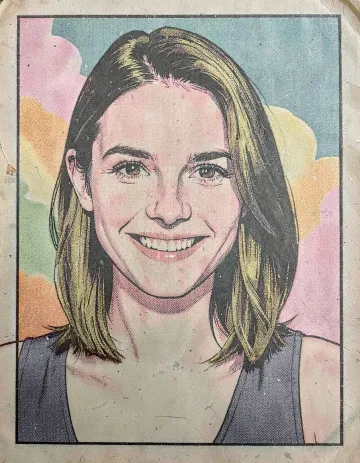 50s Comic
Every style computed on the same portrait — nothing cherry-picked, nothing retouched.
Credits per account, monthly or yearly
One credit covers a transformation plus its retry. Credits apply to the whole account, regardless of which booth.
metadata · layout · originals · release link
One free-form template editor. The same one, twice.
Studio and Hub share the exact same free-form template editor, not two different ones with a translation layer in between. What you build on the event PC, you see and edit again in the Hub, exactly the same.
The calm center of your business.
The Hub isn't a second event chaos — it's where you keep track afterwards: which box is where, which gallery is released, which deletion request is still open. One login, roles decide what everyone sees.
A role model that thinks along
Platform admin, operator team, guest — every role sees exactly what it needs. Team members can be created, roles switched, passwords reset.
Every box at a glance
Camera, printer, paper and queue status, plus CPU, RAM, temperature and network latency — reported as soon as the box checks back in with the Hub.
A real GDPR deletion workflow
Deletion request per photo, approval via link, automatic deletion after 30 days without a response. Retention configurable per event.
Private galleries, clearly bounded
Token-protected links, gallery or single-photo mode, boxes can be restricted to specific events. Guests can upload their own phone photos — display optional, only after operator approval.
Secure login, layered protection
Real passkeys (WebAuthn) for password-free login, TOTP with recovery codes as a second factor, plus SSO prepared for Microsoft, Google and Apple.
Straight to the event PC, no drive-out
One click in the Hub is enough to access the box — encrypted, with file transfer, no third-party link.
Your client designs their own layout
Send the couple a link: they pick a template, adjust text and colours, you approve it. No account needed, no back-and-forth by email — and nothing goes live until you've seen it.
From the Hub to the guest gallery
The interface, guest gallery, legal pages, and status page all speak all 24 official EU languages. A guest in Prague reads Czech without you configuring anything.
If something's off, you see it first
boothdock.cloud/status shows without logging in whether the portal, pairing, gallery, upload, and print queue are running — for you and for your client.
What BoothDock has — and most others don't.
From an analysis of eleven other photo booth vendors (as of 2026). No cherry-picking of single cases — frequencies from the full comparison.
| Feature | BoothDock | Typical competitor |
|---|---|---|
| Calendar with year-round availability | Yes | Almost no vendor |
| Green screen in three tiers (chroma, AI without a screen, AI-perfect image) | Yes | Usually only one tier, or none at all |
| Guest picks their own background, lockable per template | Yes | 6 of 11 have it at all, none this granular |
| Fleet monitoring (paper, errors, queue) | Yes | 8 of 11 don't have it |
| Remote access with its own relay server | Yes | Usually not at all |
| Print limits per session AND per event | Yes | Most have none |
| Multiple printers with routing | Yes | Rare |
| Offline guest gallery (printing + QR) | Yes | Rare |
| 2×6 strip printing on standard hardware | Yes | At least one major vendor can't do this |
Before you decide: try it out.
Two ways to get to know BoothDock risk-free — the Hub sandbox and Studio right in your browser.
Try the Hub live, no sign-up
Soon, one click will be enough: a sandbox account with a sample event and the real interface — boxes, gallery, roles, everything usable. No form, no credit card.
Get started right away, no account needed. For six hours you get a Hub of your own with a sample event, gallery, templates and a browser photo booth — then everything deletes itself. No newsletter, no data kept.
Studio in the browser, no install at all
The same capture and layout flow as on the event PC — except your own webcam plays the camera. A way to get a feel for it before any machine is even set up at the venue.
Start for free. Pay transparently as you grow.
One price per box: Free to try it out, Pro for up to 50 boxes, Business from 51 boxes on request. With annual billing, the 2nd box is included in the base price, and every extra one is cheaper than with monthly billing.
Pro
with annual billing · every extra box €7/month · up to 50 boxes · 150 GB storage per box (box 11+: 100 GB)
Start for free →Business
Everything in Pro – plus:
- Payment by invoice instead of credit card
- Personal point of contact
- Bulk pairing via pairing key – also for chains and rental fleets
- Storage pool by tier: 150/100/50 GB per box
- Custom contract term
Pro customers can also submit the request directly in the Hub under Billing.
The key answers for photo booth operators, photographers and event pros.
What is BoothDock?
BoothDock is photo booth software from Germany: BoothDock Studio runs the photo booth right at the event (offline-proof), and the BoothDock Hub takes over afterwards in the cloud for event preparation, upload sync and customer galleries.
How much does BoothDock cost?
Three plans, one price per box: Free to try it out (1 box, watermark). Pro from €14/month on the annual plan (2 boxes included), each additional box €7/month, up to 50 boxes. Storage is pooled per account: 150 GB per box up to 10 boxes, 100 GB per box up to 50 boxes, then 50 GB per box – expandable with storage packages. Business from 51 boxes on request: payment by invoice, personal point of contact, bulk pairing via pairing key, custom contract term. You can start for free, no credit card required.
Does BoothDock work offline?
Yes. BoothDock Studio runs fully offline on the event PC – up to 30 days without internet. Once a connection is available again, it automatically syncs the captures with the Hub.
Is BoothDock GDPR-compliant?
Yes. Data processing and hosting run in the EU, a prepared data processing agreement is available, and guest galleries are private via QR code. This level of data protection also benefits customers outside the EU.
What hardware do I need?
A Windows PC for BoothDock Studio, a camera (webcam or system camera – Sony and Canon are natively supported) and optionally a photo printer. BoothDock is the software; you bring the photo booth hardware.
What is the difference between Studio, Hub and Gallery?
BoothDock Studio is the local desktop app at the event (capture, layout, printing). The BoothDock Hub is the cloud portal for preparation, live status and sync. BoothDock Gallery is the private QR gallery your guests use to get their photos.
Prefer to talk in person?
A short message is enough — a reply straight from us, no queue.
Drop us a line
We reply personally, usually the same day. For anything else, reach us directly:
mail@boothdock.eu